
 English (United States)
  Spanish
  French
  Turkish
  Japanese
  Ukrainian
  Russian
  Korean
  German
  Dutch
Dutch  Hungarian
  Polish
  Italian
  Indonesian
  Portuguese
  Arabic
  English (UK)
A face recognition camera that only logs faces is a passive record you check after something has already happened. A camera with black and white list alarm linkage does the opposite: it acts the moment a specific person is seen, not after. That single difference — passive logging versus active alerting — is what turns a camera from a review tool into a real security control. This guide breaks down exactly how black/white list alarm logic works on a manufacturer-grade face recognition camera, what happens between a face entering the frame and an alert reaching your phone, and how to set one up so it actually reduces false alarms instead of adding to them.
Key Takeaways
- A black and white list alarm system sorts every recognised face into one of three buckets — whitelisted (authorised), blacklisted (watch-listed), or unknown — and triggers a different action for each.
- The alarm fires from the recorder, not the camera: the LS-FRC-B0501 handles detection and capture, while the paired NVR runs the list comparison and pushes the alert.
- Database capacity depends on what you pair the camera with — up to 1,000 enrolled faces on a standard AI NVR, or up to 5,000 faces when paired with VMS software instead.
- Detecting and tracking up to 6 faces per frame means the alarm logic has to individually classify every face in a group, not just the first one it sees — this is where cheap cameras miss watch-listed people in a crowd.
- Most false or missed alarms trace back to enrolment quality and threshold tuning, not the camera hardware.
What Is a Black and White List Alarm on a Face Recognition Camera?
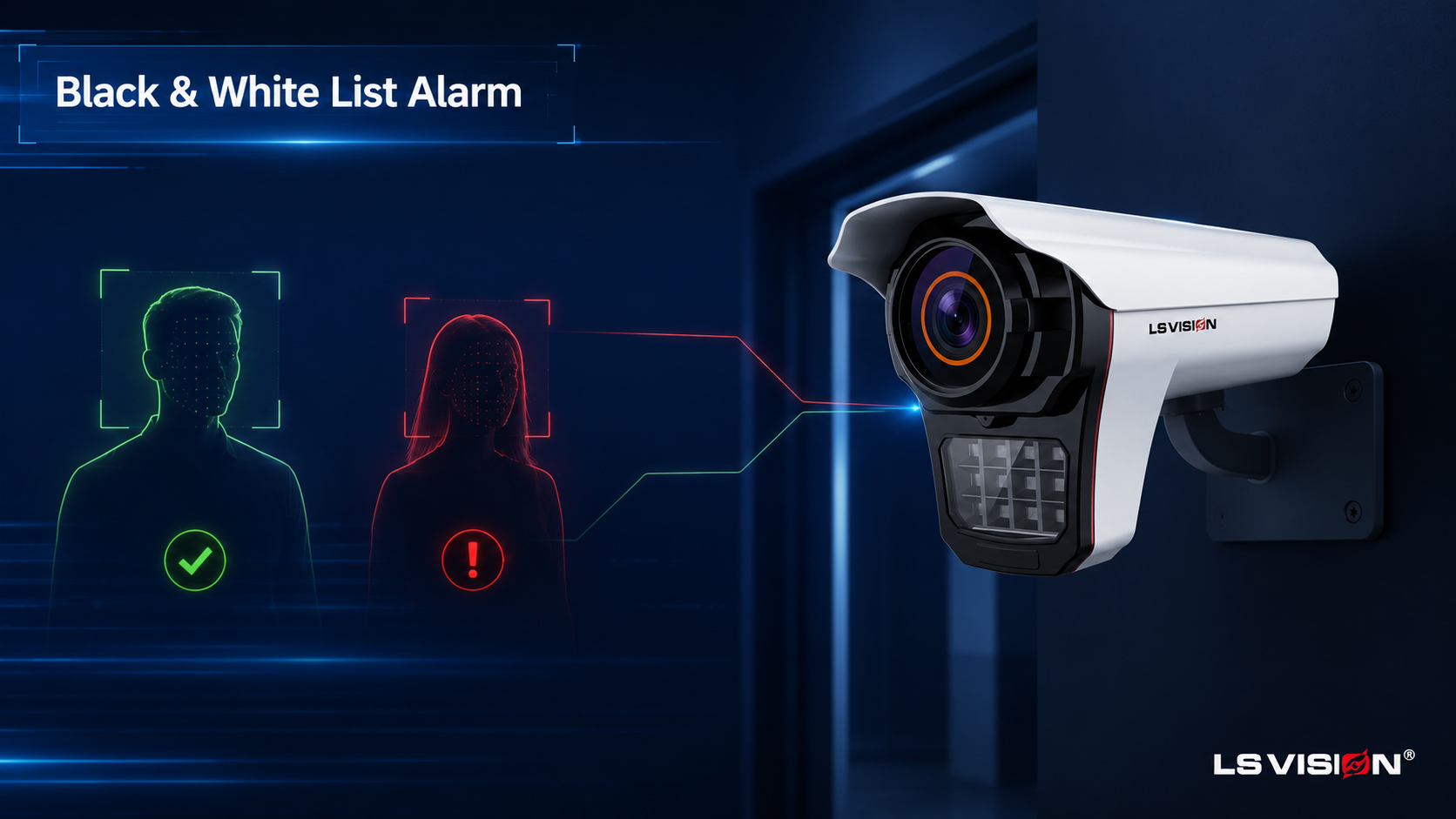
A black and white list alarm is a rule-based response layered on top of the core recognition pipeline covered in our guide on how a face recognition camera works — detection, capture, and faceprint matching happen exactly as described there. What this feature adds is the decision layer on top: instead of treating every recognised face the same way, the system checks which list — if any — that face belongs to and responds accordingly. The whitelist holds people who should be there: staff, residents, approved visitors. The blacklist holds people who should trigger a response the moment they appear: banned individuals, known offenders, flagged visitors. Anyone who matches neither list falls into a third, implicit category — stranger — which many deployments also treat as an event worth logging or alerting on.
This is a meaningfully different job from generic “person detected” motion alerts. A motion alert cannot distinguish your delivery driver from an intruder; a black/white list alarm can, because it is checking identity, not just presence. On the LS-FRC-B0501 this logic sits alongside the camera’s other intelligent rules — electronic fence (E-fence), line-crossing, and departure detection — so a blacklist match can be combined with a boundary rule, for example alerting only if a blacklisted face is detected after crossing a defined perimeter line.
How Does Black/White List Alarm Linkage Work, Step by Step?
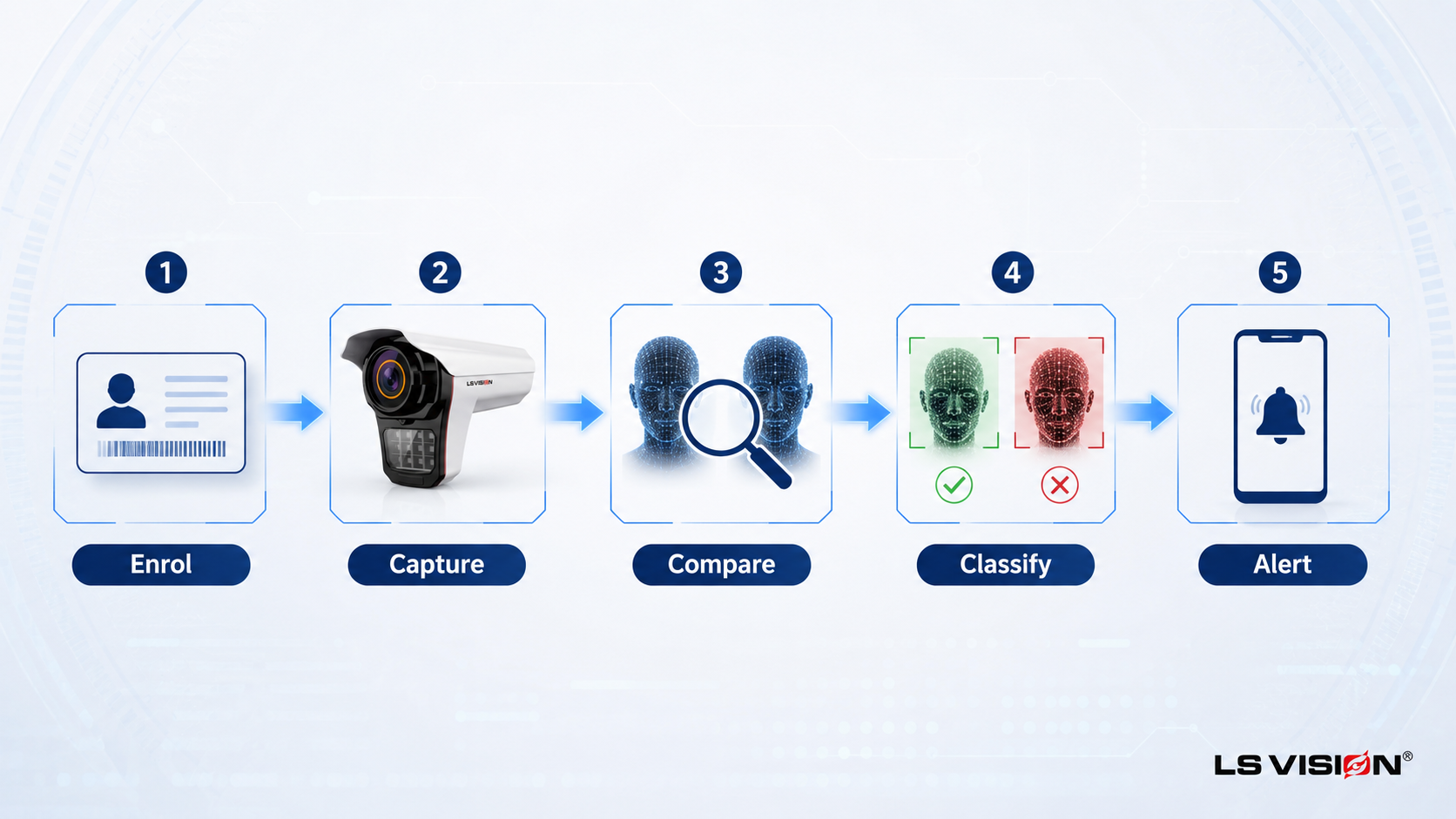
The alarm doesn’t happen instantly out of nowhere — it follows a defined sequence, and understanding it is what lets you tune the system instead of just accepting whatever it does out of the box.
1. Enrolment — building the lists before anything can be detected
Before any alarm logic can run, a person’s face has to be added to either the whitelist or the blacklist, with a clear, well-lit reference photo. This step happens on the NVR side, individually or via batch import for larger rosters. The quality of this enrolment photo directly controls how reliably that person is matched later — a poor enrolment photo is the single most common cause of a blacklist alarm that should have fired but didn’t.
2. Recognition runs first, per face — not just once per frame
Before any list can be checked, each face still has to go through detection, capture, and faceprint conversion — the same process our face recognition guide walks through in detail. What’s specific to alarm accuracy is that the LS-FRC-B0501 runs this independently for every face it tracks — up to 6 per frame — rather than once for the group. That distinction matters here because a single blacklisted individual walking beside several whitelisted colleagues still has to be caught, not masked by the crowd around them.
3. List comparison — where the actual decision is made
Each new faceprint is compared against both the whitelist and the blacklist stored in the database. This comparison — and the alarm decision it produces — runs on the paired NVR rather than on the camera itself. The camera’s job ends at “here is a face and its faceprint”; the recorder’s job is “does this faceprint match anything on either list, and if so, which one.”
4. Classification and alarm action
Depending on the result, the system takes a different action:
- Whitelist match: typically logged silently, or used to trigger a permissive action such as a door release — no alert needed because this is an expected, authorised presence.
- Blacklist match: triggers the alarm linkage — a real-time push notification, the camera’s built-in alarm switch output, and an audible warning from the on-board speaker, so on-site staff can respond immediately.
- No match (stranger): many deployments log this as an event for later review, or escalate it if combined with an E-fence or line-crossing rule — for example, an unrecognised face crossing a restricted boundary after hours.
5. Response and record
The alert reaches a monitoring station, an app, or a linked access-control device, and the event — including the snapshot and the list it matched — is logged for audit. This record is what makes the alarm useful after the fact too: security teams can review exactly when and where a specific blacklisted individual was seen.
What Specifications Matter for Reliable Watchlist Alerts?
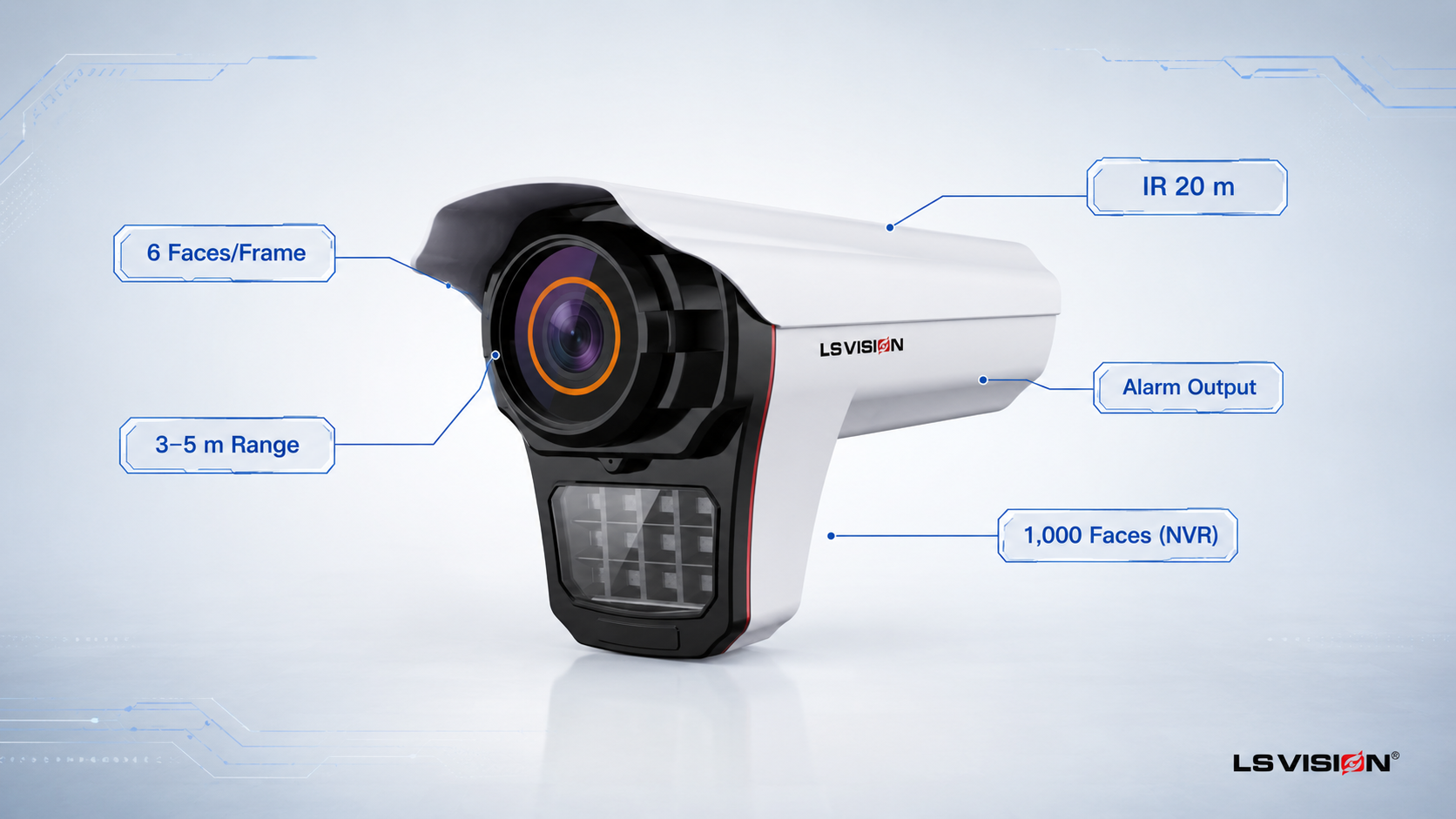
Alarm accuracy is not just about the algorithm — it depends on the hardware feeding it and the database managing it:
| Specification | LS-FRC-B0501 — why it matters for alarm accuracy |
| Sensor / resolution | 1/2.7″ CMOS, 5MP (2880×1624) — sharp enough capture to tell two similar-looking faces apart. |
| Faces per frame | Detects and tracks up to 6 simultaneously — every face in a group gets classified, not just the nearest one. |
| Recognition distance | 3–5 m with the standard 6 mm lens — the zone where captured faces are clear enough to match confidently against a list. |
| Alarm output | Built-in alarm switch output plus on-board speaker — a blacklist match can trigger a physical alarm, not just a phone notification. |
| Extended rules | E-fence, line-crossing, departure detection — combine with list matching for zone-specific alerting. |
| Night vision | Infrared to 20 m — list matching keeps working after dark, when many blacklist events actually occur. |
| Database (paired with AI NVR) | Up to 1,000 enrolled faces across whitelist and blacklist combined. |
| Database (paired with VMS software) | Up to 5,000 enrolled faces — the option to choose when your watchlist roster is larger. |
| Protection & power | IP66 weatherproof, PoE / DC12V — reliable outdoor operation at entrances and perimeters. |
The database row is worth reading twice: capacity is not a fixed camera spec, it is a function of what you pair the camera with. A standard AI NVR tops out at 1,000 combined whitelist-plus-blacklist entries; if your deployment needs a larger roster — a big residential complex, a multi-building corporate campus — pairing the same camera with VMS software instead raises that ceiling to 5,000.
Why Multi-Face Tracking Is the Part Most Buyers Overlook
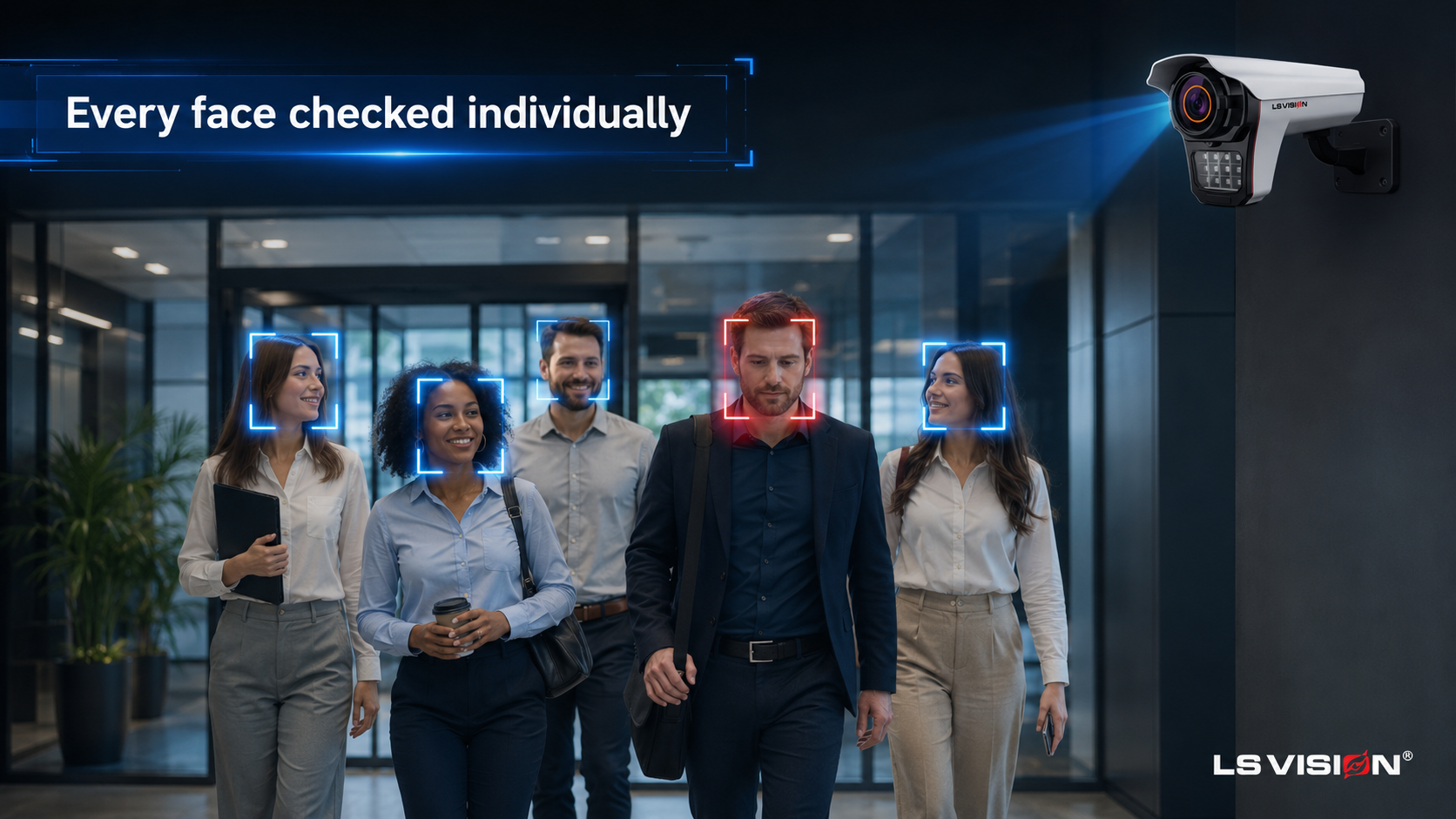
It’s easy to assume “face recognition” means one face at a time, but real entrances rarely present one person at a time. A busy lobby door, a factory gate at shift change, or a residential entrance in the evening will regularly present two, three, or more faces in the same frame — and a blacklist alarm system is only as good as its worst-handled face in that group.
The practical failure mode with lower-end cameras is simple: they detect the nearest or most prominent face, run the match, and effectively ignore the rest of the group until the frame clears. A camera rated to detect and track up to 6 faces per frame avoids this by giving every face its own bounding box, its own capture, and its own independent list comparison — which is the specific reason the per-face processing described above works at a busy entrance and not just at a single-file gate.
This is also where mounting position compounds the problem. A camera angled so that people naturally pass through single-file (a narrow gate, a turnstile lane) needs multi-face tracking less than a wide lobby entrance where groups arrive together — worth factoring in when you decide where this camera goes, not just which camera you buy.
How Fast Is the Alarm? Understanding Real-Time Response
“Real-time” in this context means the alert reaches its destination within roughly a second or two of the match being confirmed on the NVR — fast enough for on-site staff to intercept someone before they walk past a checkpoint, not fast enough to be treated as instantaneous in every network condition. Three things affect how real “real-time” actually feels in your deployment:
- Network path: a local alarm output (the camera’s built-in switch, or a linked door controller) fires essentially immediately because it never leaves the local network; a push notification to a phone app depends on your internet connection and the app’s own delivery speed.
- Matching load: comparing one face against a database of a few hundred entries is faster than comparing several simultaneous faces against a database near its 1,000 or 5,000-entry ceiling — this is a reason to keep the enrolled list to genuinely relevant people rather than treating it as unlimited.
- Combined rules: an alarm that also has to check an E-fence or line-crossing condition alongside the list match adds a small amount of processing, which is usually negligible but worth knowing if you’re stacking several intelligent rules on one alert.
Common Deployment Scenarios for Black/White List Alarms
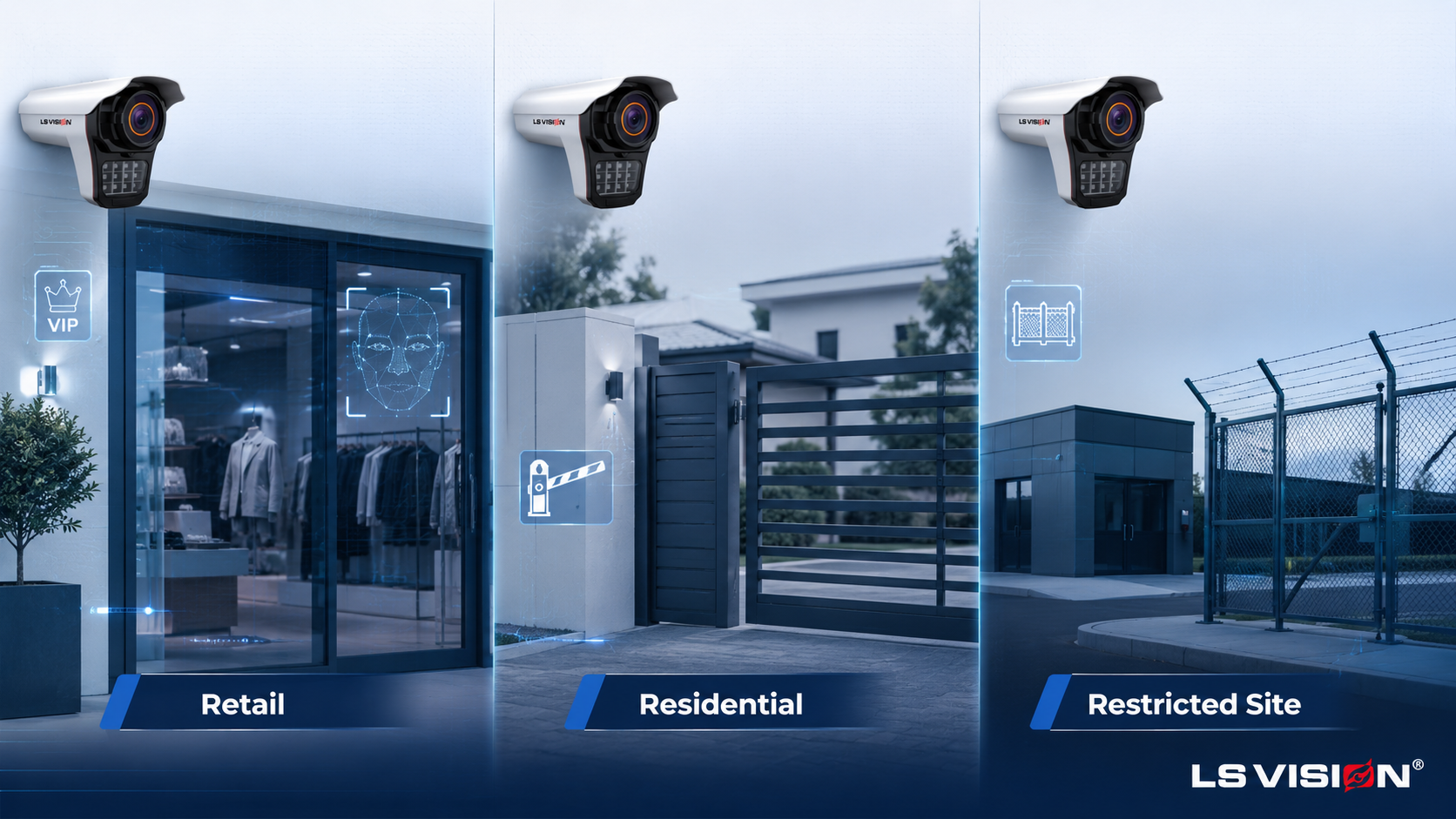
Retail and hospitality VIP handling. A whitelist can flag returning high-value customers so staff are notified the moment they walk in, enabling a personal greeting or a reserved-table workflow — while a blacklist quietly flags individuals previously involved in theft or disputes, without alerting the customer themselves.
Gated communities and residential entrances. Whitelisted residents and approved visitors pass without friction, while a blacklist alert on a previously-evicted tenant or a restraining-order subject gives on-site security a heads-up before that person reaches a door.
High-security perimeters and restricted facilities. Combining a blacklist match with an E-fence or line-crossing rule means the alarm only escalates when a flagged individual actually breaches a defined boundary, cutting down on alerts for people merely visible in the distance.
Banned-person enforcement at controlled venues. Bars, clubs, and event venues use blacklist matching to flag previously-banned patrons at the door before they’re let inside, rather than discovering the breach after an incident.
Black/White List Alarm vs a Simple Motion Alarm
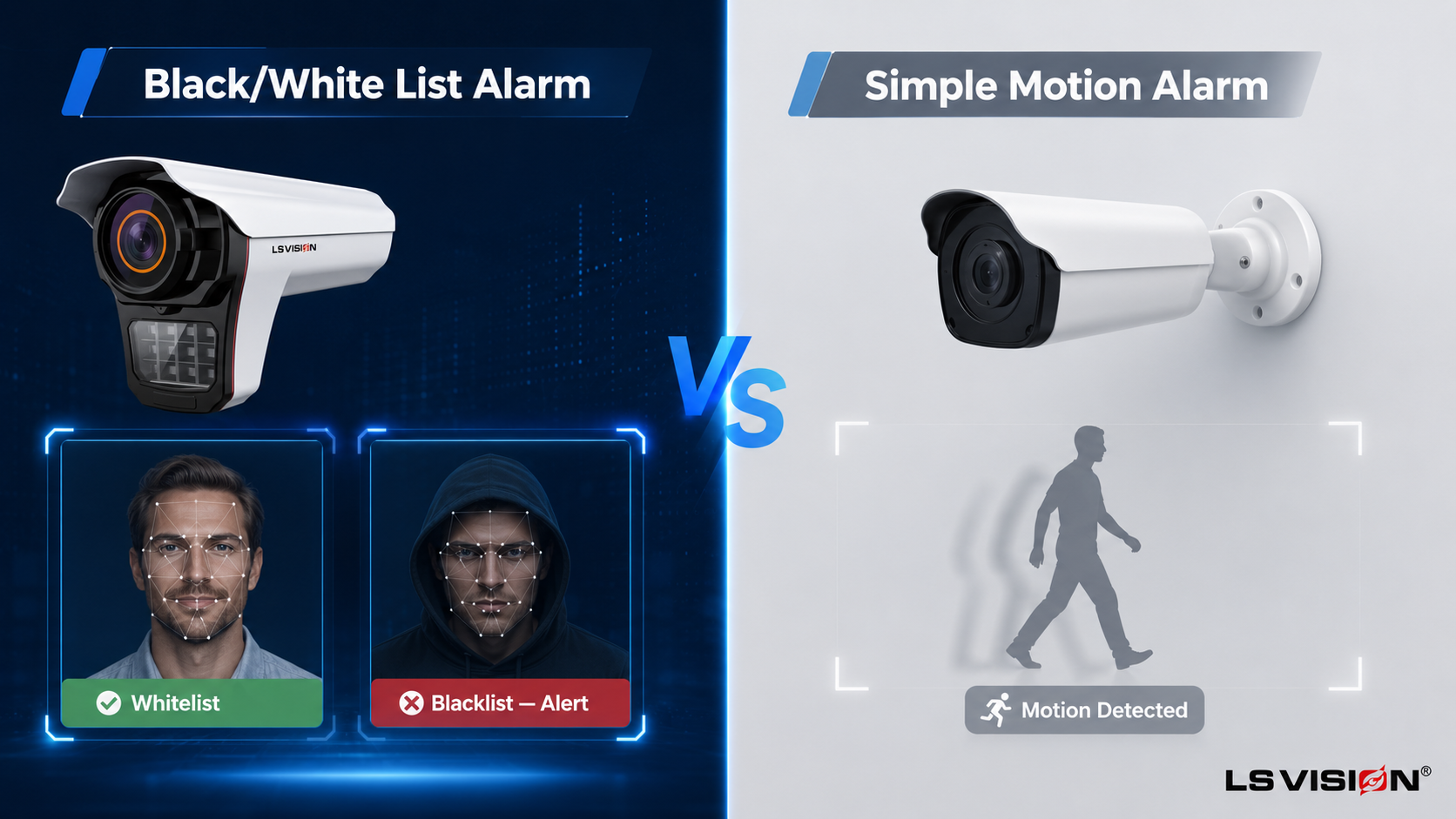
| Aspect | Black/White List Alarm | Simple Motion Alarm |
| Trigger logic | Identity match against enrolled lists | Any detected movement or human shape |
| False alarms | Low — only fires for enrolled/unknown-face events | High — fires for any passer-by, animal, or shadow |
| Actionable detail | Tells you who was detected and which list they matched | Tells you only that something moved |
| Setup effort | Requires enrolling faces on the NVR in advance | Works immediately, no enrolment needed |
| Best for | Access points where specific people must be identified | General perimeter or area monitoring |
How to Set Up and Manage Your Watchlist: A Practical Checklist
- Enrol with clean, front-facing, well-lit reference photos — this single step prevents more missed alarms than any hardware upgrade.
- Split your roster deliberately: keep the whitelist to people who genuinely need frictionless access, and the blacklist to specific, confirmed individuals rather than a vague “suspicious persons” catch-all.
- Choose your database ceiling before you commit: a standard NVR’s 1,000-face capacity suits most single-site deployments; move to VMS software up front if you already know your roster will approach or exceed that, since migrating later means re-enrolling.
- Pair list matching with a boundary rule (E-fence or line-crossing) at high-security sites so blacklist alerts fire on an actual breach, not just distant visibility.
- Review and prune both lists periodically — an outdated blacklist (someone whose ban has ended) or whitelist (an employee who has left) is a common source of both false alerts and missed ones.
- Test with a known face from each list after installation, in the actual lighting conditions of the entrance, before relying on the system live.
Related Solutions for a Complete Watchlist Alarm Setup
Alarm linkage is a system-level feature — the camera, the recorder, and your enrolment process all have to work together. For a deployment built around black/white list alerting, these products are designed to pair:
- LS-FRC-B0501 Face Recognition Camera — the detection and capture front end, tracking up to 6 faces per frame with a built-in alarm switch output.
- LS-AIN1204P Intelligent NVR — where the whitelist and blacklist actually live, with batch enrolment and a 1,000-face capacity (or up to 5,000 when paired with VMS software instead).
- Face access-control camera — for sites that want whitelist matching to also release a door lock directly.
- LS-LPC1502 License Plate (LPR/ANPR) Camera — add a vehicle-side blacklist/whitelist at the same entrance where both people and cars need controlling.
New to how the recognition pipeline itself works? Our guide on how a face recognition camera works covers the detection-to-database pipeline this alarm logic sits on top of.
Not sure how to size your watchlist deployment? Tell us how many people you need enrolled across both lists and whether you’re expecting to grow past 1,000, and our engineers will recommend the right NVR-versus-VMS setup and send a factory-direct quote. Browse the full facial recognition security camera range to compare models.
Conclusion
A black and white list alarm turns face recognition from a passive log into an active response system — but only if the enrolment is clean, the database is sized correctly for your roster (1,000 faces on a standard NVR, up to 5,000 on VMS software), and the alert path matches how quickly your team needs to react. Get those three things right and a face recognition camera stops just recording who walked past and starts telling you, in real time, exactly who you need to know about.
FAQ’s
What is the difference between a whitelist and a blacklist on a face recognition camera?
A whitelist contains people who are authorised or expected — matches are usually logged quietly or used to grant access. A blacklist contains people who should trigger an alert the moment they’re seen — matches fire the alarm linkage, including a push notification and the camera’s built-in alarm output.
How many faces can I enrol across both lists?
That depends on what the camera is paired with, not the camera itself. A standard AI NVR such as the LS-AIN1204P holds up to 1,000 faces combined across whitelist and blacklist. Pairing the camera with VMS software instead raises that capacity to up to 5,000 faces.
Does the alarm fire from the camera or the recorder?
The recorder. The camera handles detection, capture, and multi-face tracking; the list comparison and the resulting alarm action happen on the paired NVR (or VMS), which is also where the whitelist and blacklist are stored and managed.
Can it catch a blacklisted person in a group of people?
Yes — the LS-FRC-B0501 detects and tracks up to 6 faces per frame simultaneously, and each one is classified against the lists independently, so a flagged individual is not masked by walking alongside others.
What causes a black/white list alarm to miss a match it should have caught?
Almost always enrolment quality — a poor, angled, or poorly-lit reference photo — rather than the camera hardware. Steep face angles, strong backlighting at the entrance, and an outdated enrolment photo are the next most common causes.
Can black/white list alerts be combined with other alarm rules?
Yes. The LS-FRC-B0501 supports combining list matching with E-fence and line-crossing detection, so you can, for example, only escalate a blacklist match if the person also crosses a defined restricted boundary.
