
 French
  English (United States)
  Spanish
  Turkish
  Japanese
  Ukrainian
  Russian
  Korean
  German
  Dutch
Dutch  Hungarian
  Polish
  Italian
  Indonesian
  Portuguese
  Arabic
  English (UK)
Face recognition has moved out of airports and flagship stores and into everyday access control, staff attendance, and perimeter security. Yet most buyers are told what these cameras do without ever being shown how they actually work — and that gap is expensive. The difference between a system that identifies the right person in a fraction of a second and one that floods your team with false alarms comes down to a handful of technical decisions. This guide walks through the complete pipeline, from the moment a face enters the frame to the instant an alarm fires, using real specifications from a manufacturer-grade face recognition camera so you can specify, compare, and deploy one with confidence.
Key Takeaways
- A face recognition CCTV camera works in five stages: detect a face, capture a high-quality image, convert it into a mathematical “faceprint,” match that faceprint against a database, and trigger an action such as a black/white-list alarm.
- Accuracy depends on far more than megapixels — face angle, lighting, distance, and the minimum number of pixels on the face matter most.
- A camera such as the LS-FRC-B0501 detects and tracks up to 6 faces per frame at a 3–5 m recognition distance, and pairs with an AI NVR that holds a database of up to 1,000 faces.
- The database and alarm logic usually live in the NVR, not the camera — this is what turns “seeing a face” into “recognising a person.”
- In the real world, mounting height, lens focal length, and backlight control decide success as much as the spec sheet does.
What Is a Face Recognition CCTV Camera?
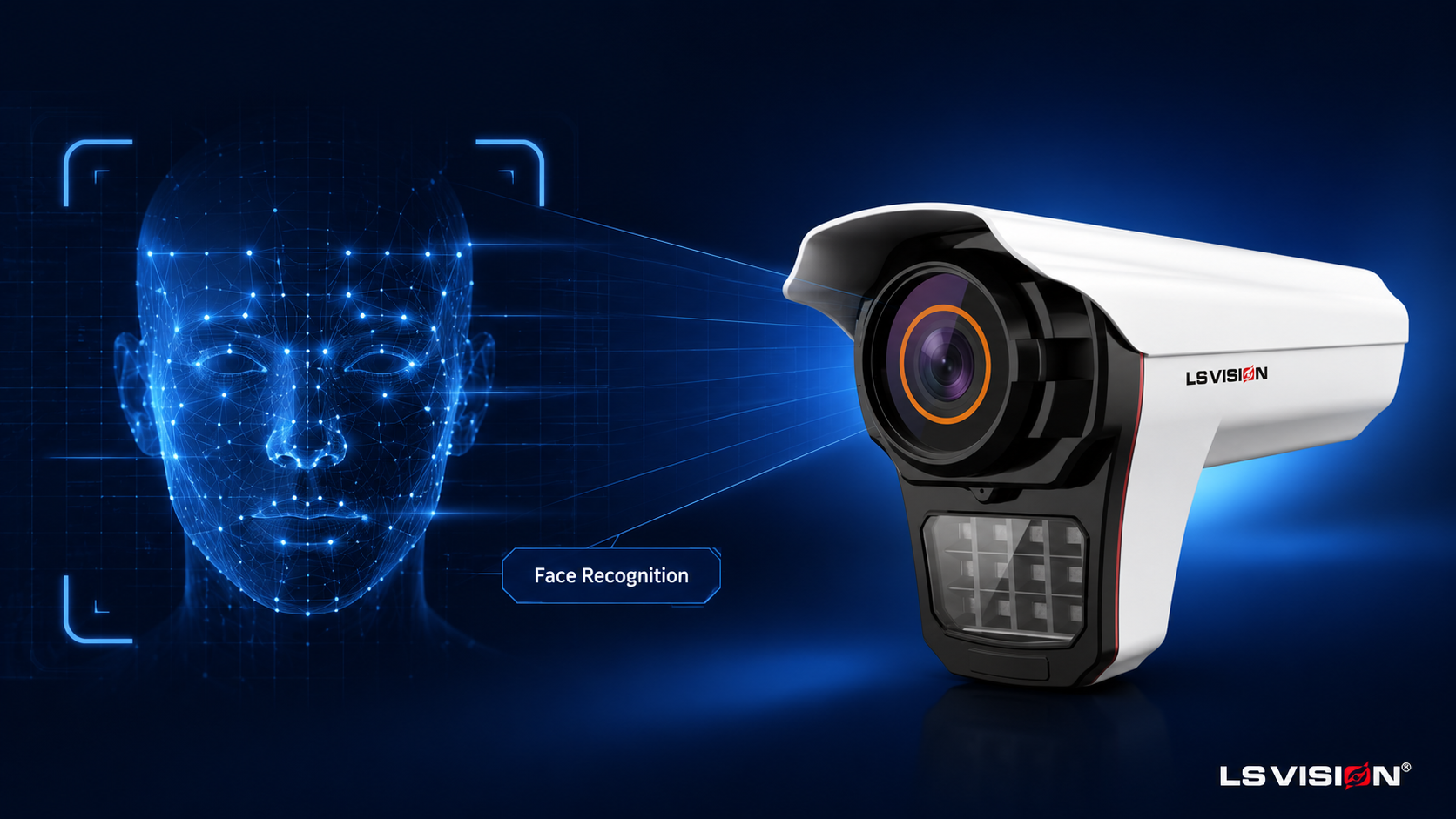
A face recognition CCTV camera is an IP security camera that does more than record video: it detects human faces in the scene, converts each face into a unique digital signature, and compares that signature against a stored database to identify or verify who a person is. In short, an ordinary camera shows you that someone is there; a face recognition camera tells you who it is.
This is a different job from the “human detection” or “motion detection” most cameras advertise. Motion and human detection answer “is there a person in view?” Face recognition answers “is this a known, authorised, or watch-listed individual?” To do that reliably, the camera combines a high-resolution sensor, infrared night vision, and an on-board AI algorithm, and it typically works alongside an AI network video recorder (NVR) that stores the face database and runs the matching at scale. The LS-FRC-B0501, for example, is a 5MP camera with a built-in face capture and recognition algorithm, ONVIF support for integration, and IP66 weatherproofing for outdoor entrances; for higher-resolution projects the range also includes a 4K AI face recognition IP camera. New to CCTV in general? Our ultimate guide to CCTV security cameras covers the fundamentals first.
How Does a Face Recognition Camera Work?
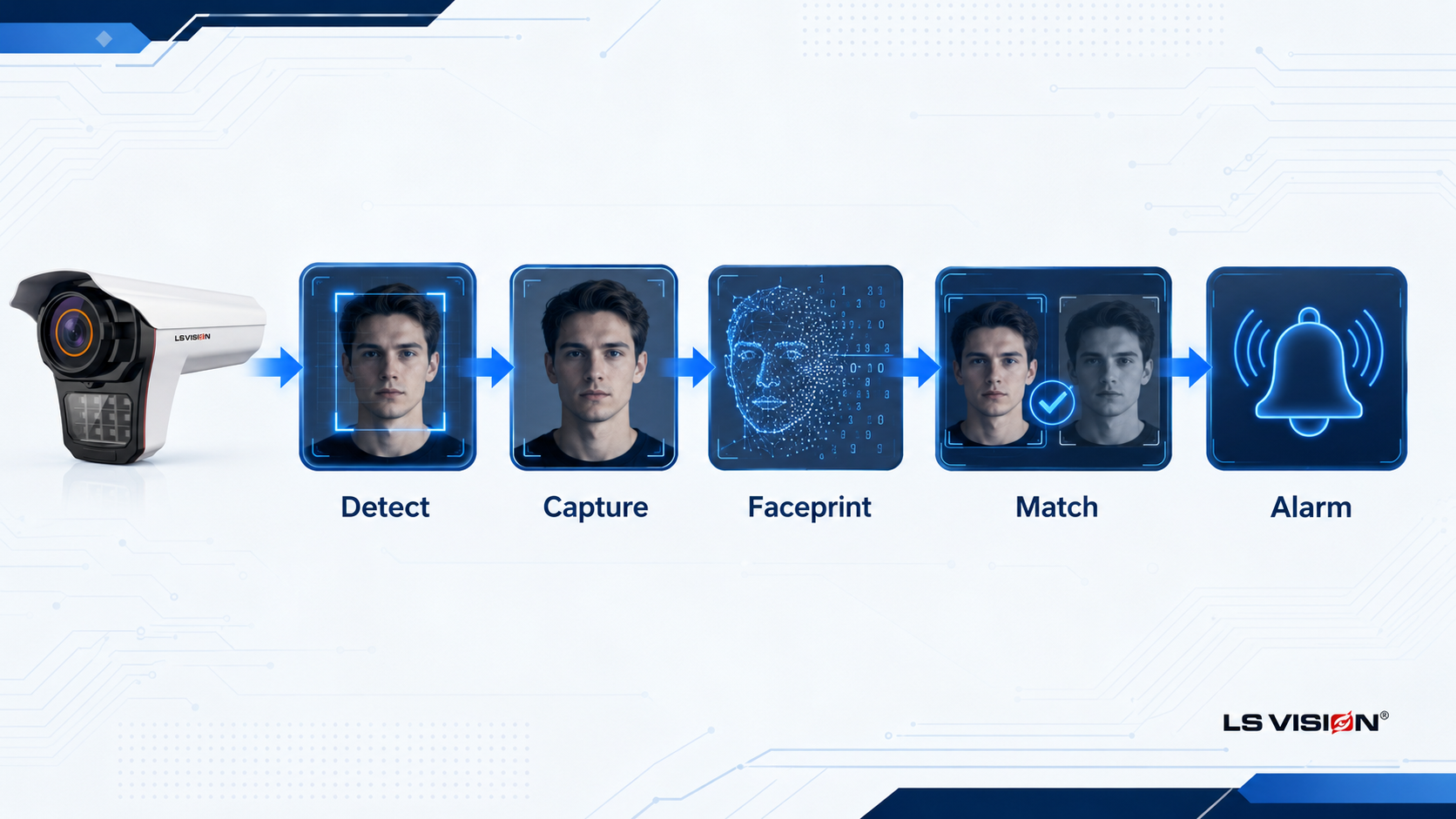
From the camera’s point of view, the whole process runs in about a fraction of a second and breaks down into five distinct stages. Understanding each one is what lets you diagnose problems later — because when recognition fails, it almost always fails at a specific stage.
1. Face detection — finding the face in the frame
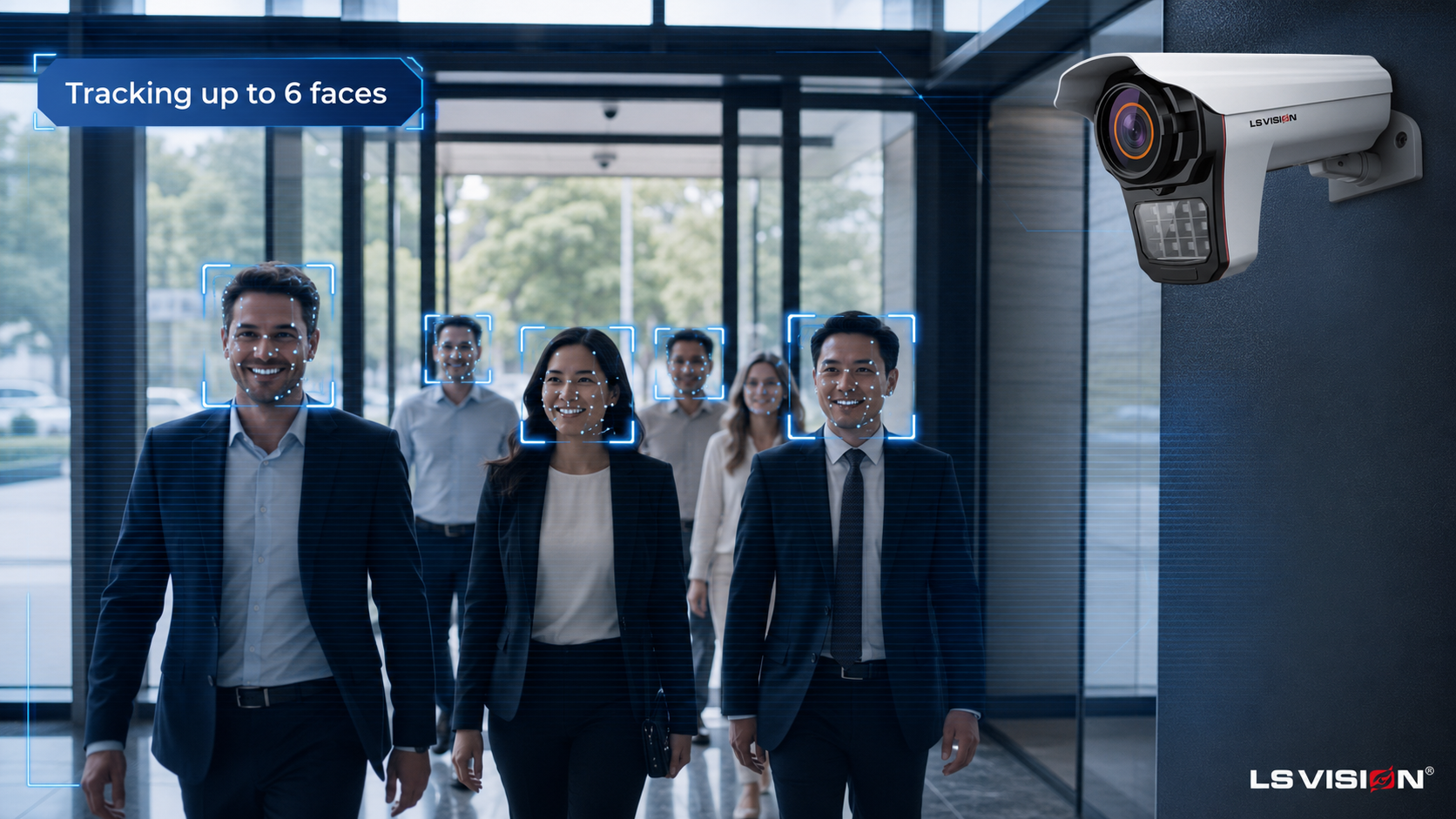
First, a neural-network detector scans every video frame and locates the regions that contain a human face, drawing a bounding box around each one. This step separates faces from everything else in the scene — signage, reflections, bodies without a clear face — and can follow several people at once as they move. The LS-FRC-B0501 detects and tracks up to 6 faces in a single frame simultaneously, which matters at a busy doorway or turnstile where people arrive in groups. Detection on its own is not recognition; it simply tells the system “there is a face here, and here.”
2. Face capture and quality selection
As it tracks a face across multiple frames, the camera chooses the best single image to work from — the sharpest, most front-facing, best-exposed shot. This “quality snapshot” approach avoids wasting processing on blurred or side-on frames. Size is the key constraint here: a face needs a minimum of roughly 20×20 pixels just to be captured, but dependable recognition wants many more pixels across the face than that bare minimum. This is why resolution and lens choice interact with distance — a face that is technically “in frame” but only a few pixels wide cannot be recognised, only detected.
3. Feature extraction — creating the faceprint
The chosen face image is aligned (eyes and nose brought to a standard position) and passed through a deep neural network that outputs a compact list of numbers — typically a feature vector of a few hundred values known as a face embedding or “faceprint.” This vector describes the geometry and texture that make a face distinctive; it is not a stored photograph. That distinction is important for privacy: the system compares mathematical templates, not pictures, which is a point worth making clearly to end users and compliance teams.
4. Database matching and comparison
The new faceprint is then compared against the faceprints already enrolled in the database. The system measures how similar two vectors are and checks that similarity against a threshold. There are two modes: 1:1 verification (“is this the person they claim to be?” — used for access control) and 1:N identification (“who, if anyone, in the database is this?” — used for watch-lists and attendance). The threshold is a deliberate trade-off: set it too strict and genuine users get rejected (false rejects); set it too loose and the wrong person is matched (false accepts). On the LS-FRC-B0501 the database and comparison run on the paired AI NVR, which stores up to 1,000 faces.
5. Decision and action — alarms and linkage
Finally, the result drives an action. Based on whether the face matched and which list it belongs to — whitelist (authorised), blacklist (watch-listed), or stranger (unknown) — the system can open a door, push a real-time alert, sound the built-in speaker, or fire an alarm output. The LS-FRC-B0501 supports black and white list alarm linkage together with an on-board alarm switch output, and can chain into intelligent rules such as electronic fence (E-fence), line-crossing, and departure detection. This last stage is what converts recognition into a security outcome.
What Specifications Actually Matter in a Face Recognition Camera?
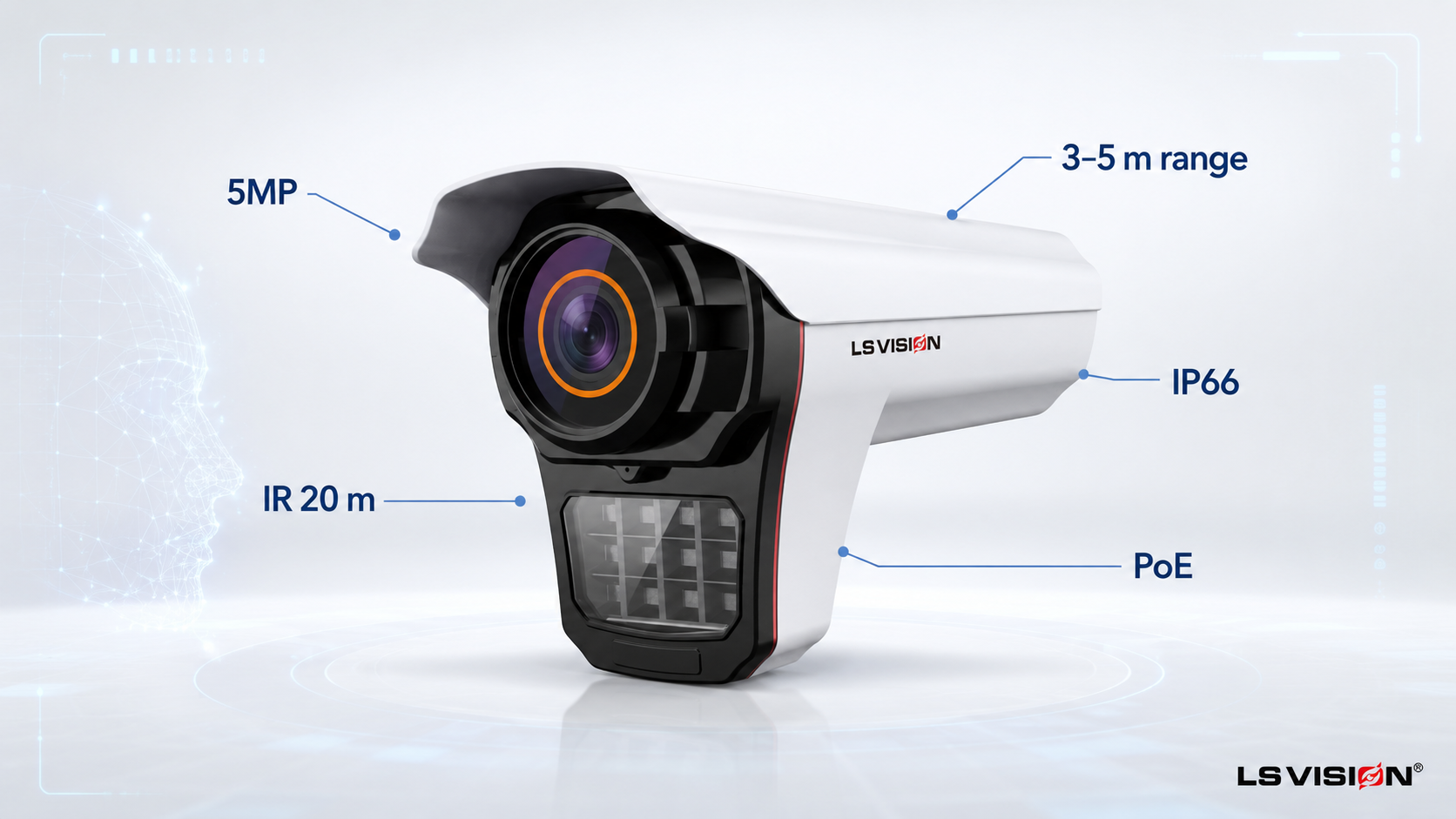
Spec sheets are long, but only a few numbers decide whether recognition will work at your site. Here is what to look for, and how they read on a real manufacturer camera:
| Spécifications | LS-FRC-B0501 — and why it matters |
| Sensor / resolution | 1/2.7″ CMOS, 5MP (2880×1624) — enough pixels on the face to recognise at distance, not just detect. |
| Taux de rafraîchissement | 25 fps — smooth capture of moving faces, reducing motion blur at entrances. |
| Recognition distance | 3–5 m with the standard 6 mm lens — the practical zone where a face is large enough to match. |
| Faces per frame | Up to 6 detected & tracked simultaneously — essential for busy doorways and groups. |
| Minimum face size | From ~20×20 px to capture — governs how far / wide you can mount before faces are too small. |
| Vision nocturne | Infrared to 20 m — keeps capturing after dark, though even lighting still gives the best accuracy. |
| Codec & integration | H.264 / H.265, ONVIF — efficient storage and compatibility with third-party NVR/VMS. |
| Protection & power | IP66 weatherproof; DC12V & PoE — single-cable installation at outdoor entries. |
| Extended AI | E-fence, line-crossing, departure detection, passenger-flow counting — value beyond identification. |
One factor that rarely appears as a single line item but decides real-world results is backlight handling. An entrance with bright sky or glass behind visitors will silhouette faces unless the camera and its exposure are set up for it, so treat lighting at the mounting point as part of the specification, not an afterthought.
How Accurate Is Face Recognition — and What Affects It?
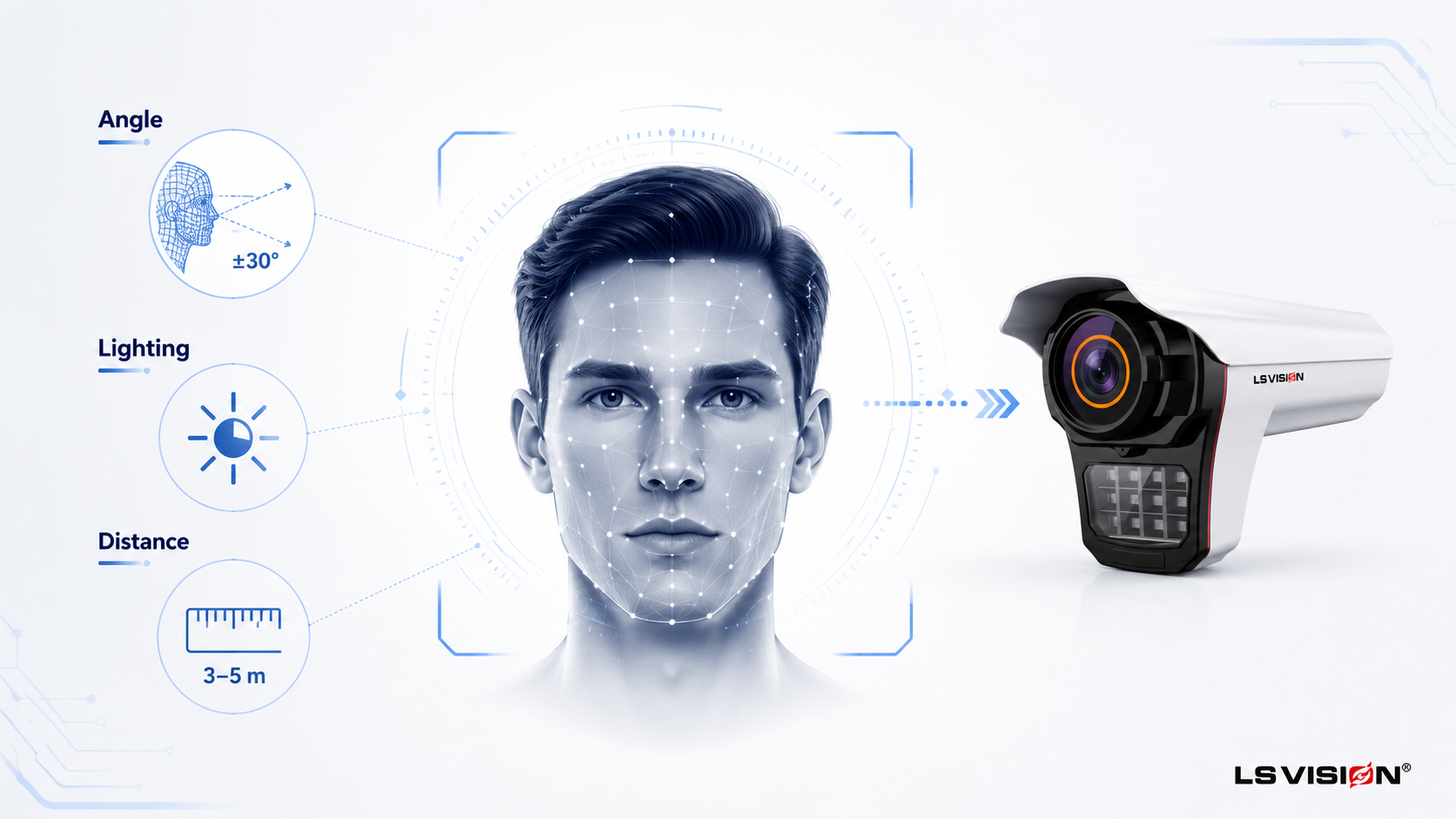
Accuracy is usually described with two figures that move in opposite directions: the false accept rate (matching the wrong person) and the false reject rate (failing to match the right one). Tightening the threshold to cut false accepts will raise false rejects, and vice-versa — so “accuracy” is really about tuning that balance for your risk profile. Beyond the threshold, five real-world factors decide day-to-day performance:
- Face angle: recognition is strongest when the face is close to front-on. Steep angles (roughly beyond ±30° of yaw or pitch) drop accuracy, which is why mounting height and tilt matter so much.
- Lighting: even, diffuse light is ideal. Strong backlight, harsh side light, and deep shadow all reduce the quality of the captured face.
- Distance and pixels on face: past the effective recognition distance, a face is detected but not resolvable. Longer focal lengths extend range but narrow the field of view.
- Motion blur: fast movement under a slow shutter smears features. Adequate frame rate and shutter speed keep captures crisp.
- Occlusion and enrolment quality: masks, sunglasses, hats, and poor enrolment photos all lower match confidence — the reference image in the database needs to be as clean as the live capture.
In practice, most recognition problems are installation problems. Mounting the camera at roughly face height to a modest downward tilt, pointing it with the flow of foot traffic rather than against a bright background, and keeping the recognition zone within the rated 3–5 m will out-perform a higher-resolution camera that is badly placed.
What Role Do the NVR and Face Database Play?
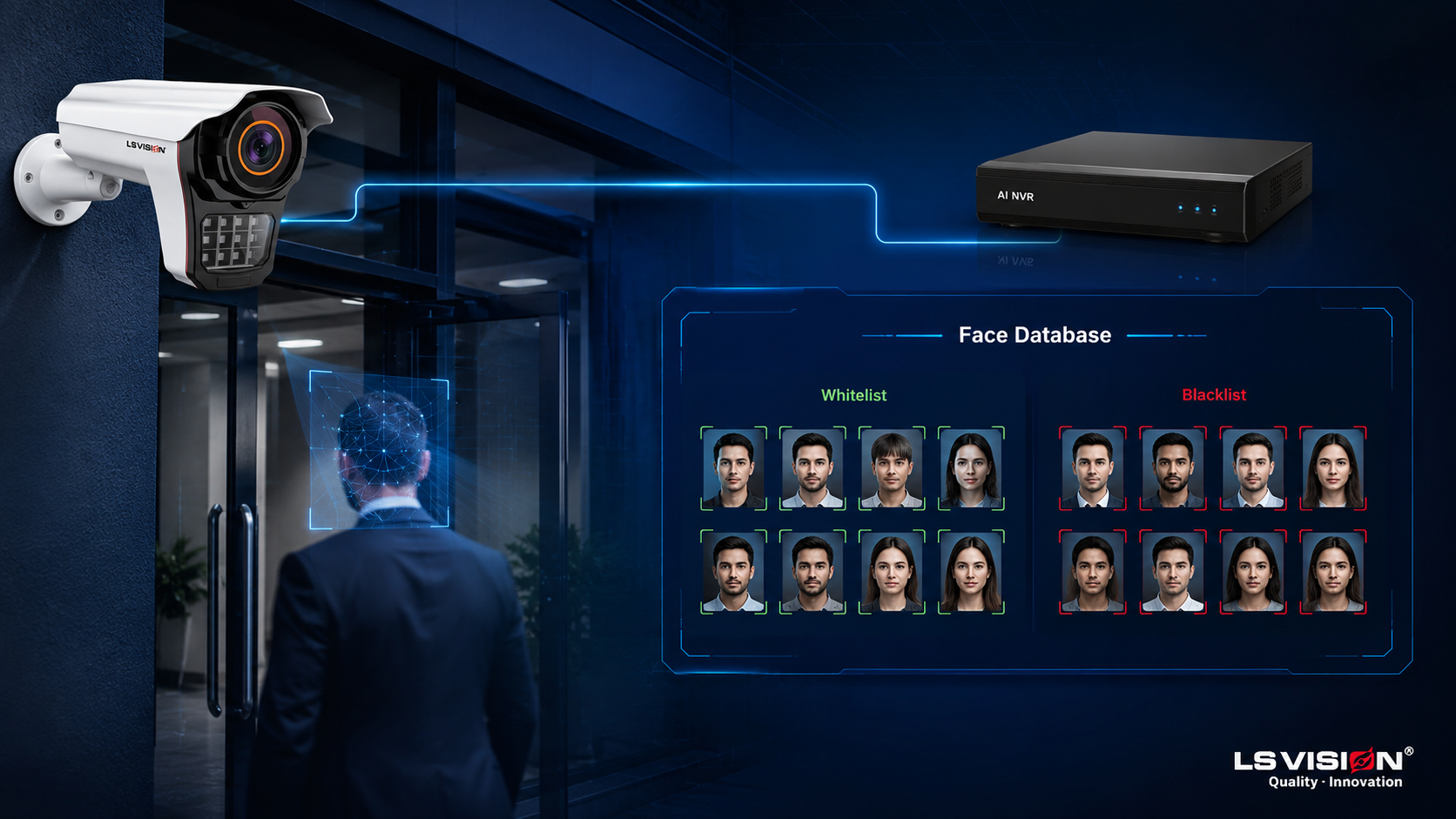
It is a common misconception that the camera does everything. In most systems the camera handles detection, capture, and often the faceprint, while the AI NVR holds the face database, runs the matching at scale, and manages the black/white lists, stranger detection, and search. The paired LS-AIN1204P intelligent NVR provides 10-channel face capture and recognition with a 1,000-face library, batch enrolment, hybrid mode, and even license-plate retrieval on the same recorder. For enterprise sites, LS VISION’s systems scale much further — up to 500,000 face analysis — so the database, not the camera, is what you size around as a deployment grows.
Where Are Face Recognition Cameras Used?
Access control and door entry
Replacing cards and PINs with the face itself removes the “borrowed badge” problem and speeds up entry. Paired with a door controller, a whitelist match releases the lock in under a second. For a dedicated entry device, a face access-control camera or a facial-recognition door lock handles verification and unlocking right at the door.
Time and attendance
For offices, factories, and sites, face-based attendance logs arrival and departure automatically and cannot be clocked by a colleague, tightening payroll accuracy. Terminal-style units such as a face recognition attendance and access-control device combine clock-in and door entry in a single unit.
VIP recognition and blacklist alerting
In retail and hospitality, a whitelist can flag VIP or returning customers for staff, while a blacklist quietly alerts security to previously flagged individuals — both driven by the same alarm-linkage logic.
Perimeter security and people analytics
Combined with E-fence, line-crossing, and passenger-flow counting, the same camera contributes footfall and dwell data alongside identification — useful for both security and operations.
Face Recognition Camera vs Standard CCTV
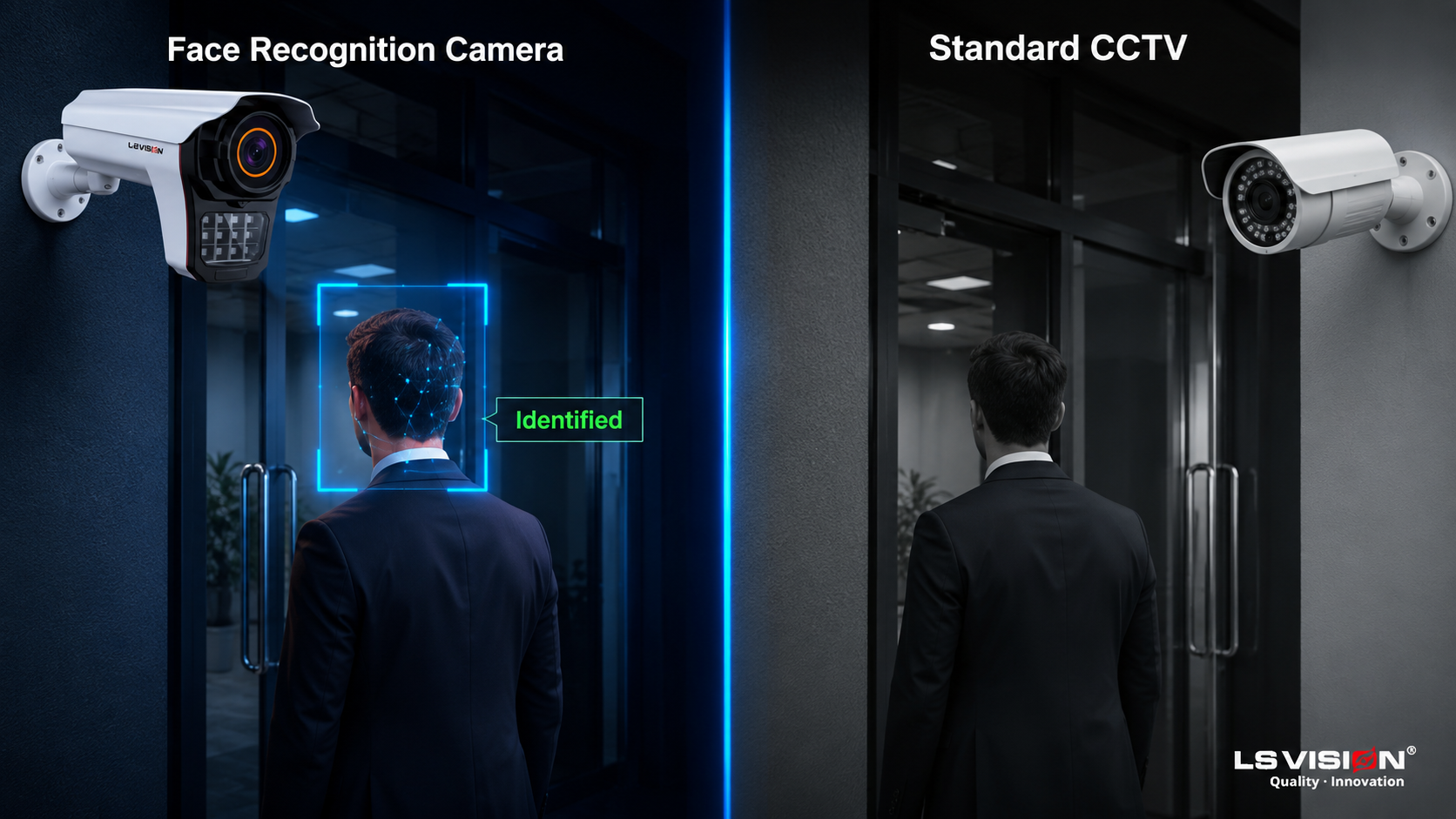
If you are weighing whether you need face recognition at all, this comparison makes the decision concrete:
| Aspect | Face Recognition Camera | Standard CCTV |
| Primary function | Identifies / verifies specific people | Records and monitors the scene |
| Onboard analytics | Face capture, recognition, alarm linkage | Motion / basic human detection |
| Database | Yes — enrolled faces on the NVR | None |
| Response | Real-time black/white-list alarms, door release | Passive recording for later review |
| Best for | Access control, attendance, watch-lists | General surveillance and evidence |
How to Choose and Deploy One: A Quick Checklist
- Decide the mode: 1:1 verification for access control, or 1:N identification for watch-lists and attendance.
- Size the database: count the faces to enrol now and in two years, then choose an NVR that comfortably exceeds it (1,000 faces for most sites, far more for enterprise).
- Match lens to distance: keep the recognition zone within 3–5 m for the standard 6 mm lens; specify a longer focal length only if you must recognise further away.
- Plan the mount: roughly face height with a slight downward tilt, aligned with foot traffic, away from strong backlight.
- Confirm power and integration: PoE for single-cable runs, ONVIF for third-party NVR/VMS compatibility.
- Address privacy up front: define consent, retention, and access policies before go-live.
Still scoping the wider system? Read our full guide on choosing the right security camera system for cabling, storage, and resolution planning around your face recognition cameras.
Related Solutions for a Complete Face Recognition Setup
Recognition is a system, not a single device. For a deployment that works out of the box in the same scenario, these products are designed to operate together:
- LS-FRC-B0501 Face Recognition Camera — the capture-and-recognition front end at the entrance (5MP, 3–5 m, IP66, PoE).
- LS-AIN1204P Intelligent NVR — the face database and alarm “brain” that stores up to 1,000 faces and manages black/white lists.
- LS-LPC1502 License Plate (LPR/ANPR) Camera — add vehicle recognition where one entrance must control both people and cars.
Not sure which combination fits your site? Tell us your entrance layout, the number of faces to enrol, and whether you also need vehicle or license-plate recognition, and our engineers will spec the exact camera-plus-NVR setup and send a factory-direct quote. Explore the full range of facial recognition security cameras to compare models.
Conclusion
A face recognition CCTV camera works by moving each face through five stages — detect, capture, extract, match, and act — and its real-world success depends as much on lens, mounting, and lighting as on the sensor inside. Get the pipeline and the deployment right, pair the camera with an AI NVR sized for your database, and you turn passive video into a system that knows who is at the door. If you are planning a project, the fastest route to the right specification is to talk to the manufacturer that builds both the camera and the recorder.
FAQ’s
How many faces can a face recognition camera store?
The camera itself captures faces, but the database lives on the NVR. The LS-FRC-B0501 paired with the LS-AIN1204P NVR stores up to 1,000 faces, while LS VISION’s larger systems scale to as many as 500,000 for enterprise deployments.
What is the recognition distance of a face recognition camera?
With the standard 6 mm lens, the LS-FRC-B0501 recognises faces reliably at 3–5 m. Longer distances require a longer focal length, which narrows the field of view — so range and coverage are always a trade-off.
Does face recognition work at night or in the dark?
Yes. Infrared night vision reaches up to 20 m, so faces are still captured after dark. Accuracy is highest under even, diffuse lighting, so entrances with some ambient or IR fill light perform best.
Can the camera alert me when a specific person appears?
Yes. Using black and white list alarm linkage, the system can trigger a real-time alert, alarm output, or door action the moment a watch-listed (blacklist) or authorised (whitelist) face is recognised.
Do I need a special NVR for face recognition?
To store a face database and run matching at scale, you need an AI NVR such as the LS-AIN1204P. It handles the enrolment, comparison, black/white lists, and search that turn face capture into true recognition.
Is face recognition GDPR or privacy compliant?
The system stores mathematical face templates rather than photographs, which supports privacy-by-design. Full compliance still depends on local law, user consent, and your data-retention policy, so confirm requirements in your region before deployment.
